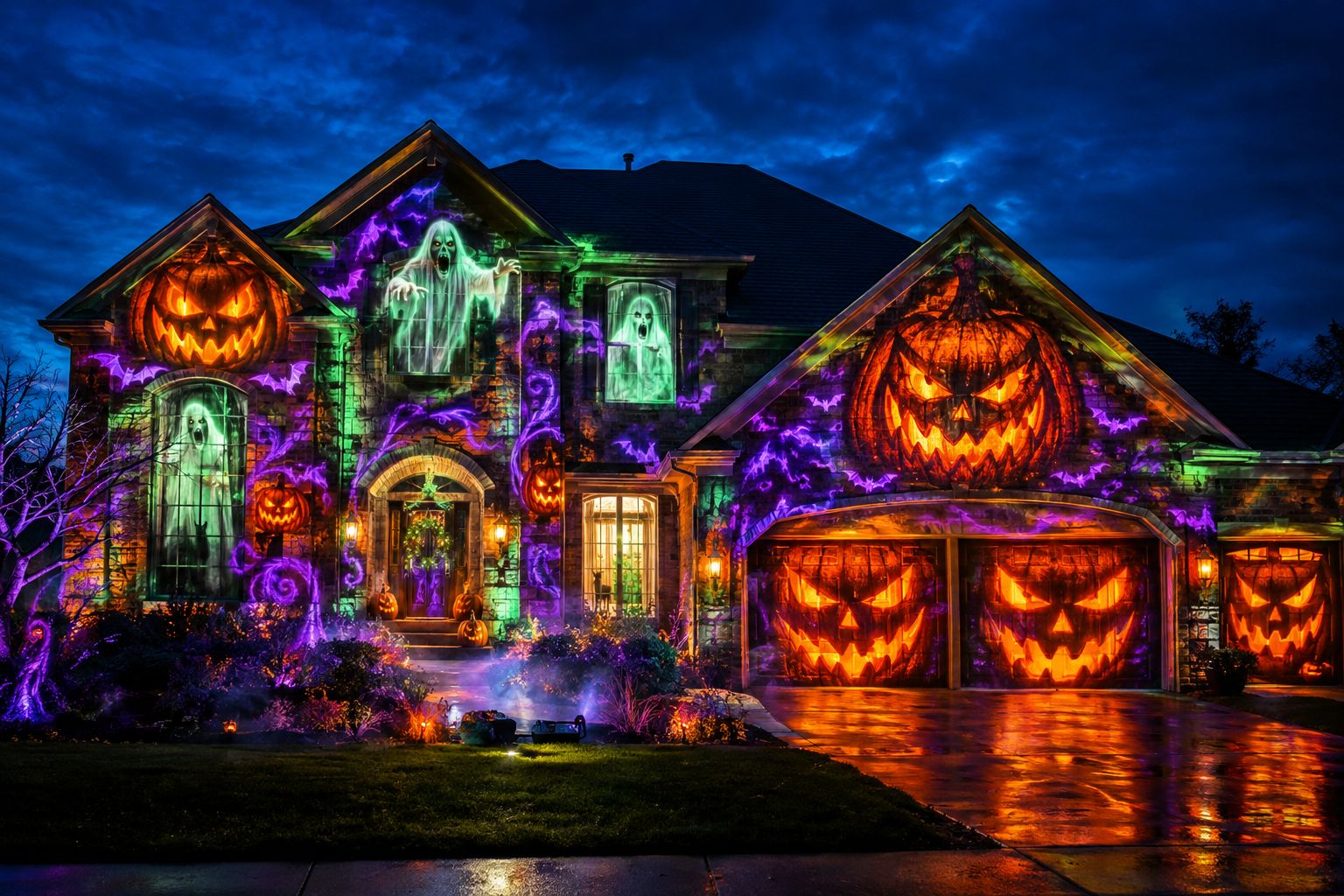
Halloween house projection mapping turns any home into a living canvas, dazzling visitors with vibrant scenes and spine-chilling effects. With modern equipment and a bit of preparation, homeowners can transform their facades, garages, and windows for unforgettable holiday displays that stand out from simple decorations. This guide will walk you through what you need, setup steps, safety pointers, and the right product choices to ensure an impressive and secure show for every trick-or-treater.
What Is Halloween House Projection Mapping?
Projection mapping uses advanced software and high-quality projectors to “wrap” images, videos, or animation around the unique architecture of a home. Unlike traditional static decorations, projection mapping can animate windows, morph your garage, and even turn the whole house into a haunted masterpiece — creating immersive, movable scenes matched to the shape and structure of your residence. With the right equipment and calibration, you can precisely fit glowing pumpkins, ghosts, or dancing skeletons onto your doors, windows, and brickwork.
Start with the Homeline Projector Enclosure
If you’re mapping your home facade in mild weather, the Homeline projector enclosure is tailored for residential projects. Its compact, fan-cooled design helps safeguard your projector from outdoor debris and direct exposure, while remaining easy to set up and relocate as needed. With quick-access features, it simplifies setup and servicing between projection nights.
- Protection from dust, rain, and curious wildlife
- Fan cooling supports safe operation in typical mild residential conditions
- Sleek housing for discreet daytime appearance
Explore Homeline & request projector-fit guidance
Confirm projector dimensions, lens position, ventilation, and power before ordering.
How to Set Up Your Outdoor Halloween Projection Mapping Display
Success starts with preparation and correct placement. Here’s a high-level workflow for your Halloween house projection project:
- Assess your projection surface: Is your home brick, siding, stucco, or wood? Any windows, doors, or columns you want to include?
- Choose the projection area: Facade, garage door, or windows each need specific setup — measure your space to plan your visuals.
- Pick an outdoor location for your projector: Place your enclosure on a sturdy, level surface, protected from sprinklers and foot traffic.
- Position for best throw distance: Projector lens type and available space will impact this.
- Test with a basic grid: Use mapping software to display reference lines on your surface to check coverage, alignment, and focus.
- Finalize wiring and power: Outdoor outlets and extension cords must be weather-rated; keep cables tidy and away from walkways.
- Map content to your home: Calibrate using your projection mapping software, aligning every element carefully to architectural features and windows.
Choosing the Right Projector Enclosure for Residential Mapping
The projector enclosure is crucial: it shields your equipment from the elements and ensures reliable operation night after night. Here’s a quick overview of leading options most homeowners consider:
| Model | Best for | Key Features |
|---|---|---|
| Homeline | Everyday residential, seasonal mapping, mild climates | Fan-cooled; compact design; easy setup; discreet appearance |
| Small Integrator | Advanced home users, integrated A/V setups | Fan-cooled; professional-grade build; flexible projector fit |
| Small Defender | Coastal, high humidity, or harsh outdoor environments | Climate-controlled protection; rugged for salt-air; supports up to 500W projectors (size permitting) |
Always verify projector physical dimensions, lens position, and airflow requirements before selecting any enclosure.
Bring the Facade to Life
Use mapped ghosts, moving shadows, and animated details to turn familiar architecture into a Halloween scene.
Design for Your House
Align visuals to windows, doors, rooflines, and the garage rather than projecting a generic rectangular video.
Protect the Projector
Choose the enclosure for your actual climate and confirm dimensions, ventilation, lens placement, and power.
Projector Throw Distance and Brightness: What Matters Most?
Unlike commercial installs, home setups often have limited yard space. Here are practical tips for projector throw and brightness:
- Throw distance: Measure from projector lens to the center of your facade. Avoid obstructing trees, cars, or landscaping in the path.
- Brightness: Brighter is generally better for outdoor Halloween shows, but any projector appears much dimmer if ambient street lighting spills onto your canvas. Test at dusk and after dark to fine-tune.
- Lens type: Ultra short-throw lenses create large images at close distances, useful for small yards or garage doors.
- Mounting height: Projector lens should match or be slightly below the vertical midpoint of your projection area for best geometry.
- Temperature: Residential projectors should always run within the recommended temperature range; never block fan outputs inside your enclosure.
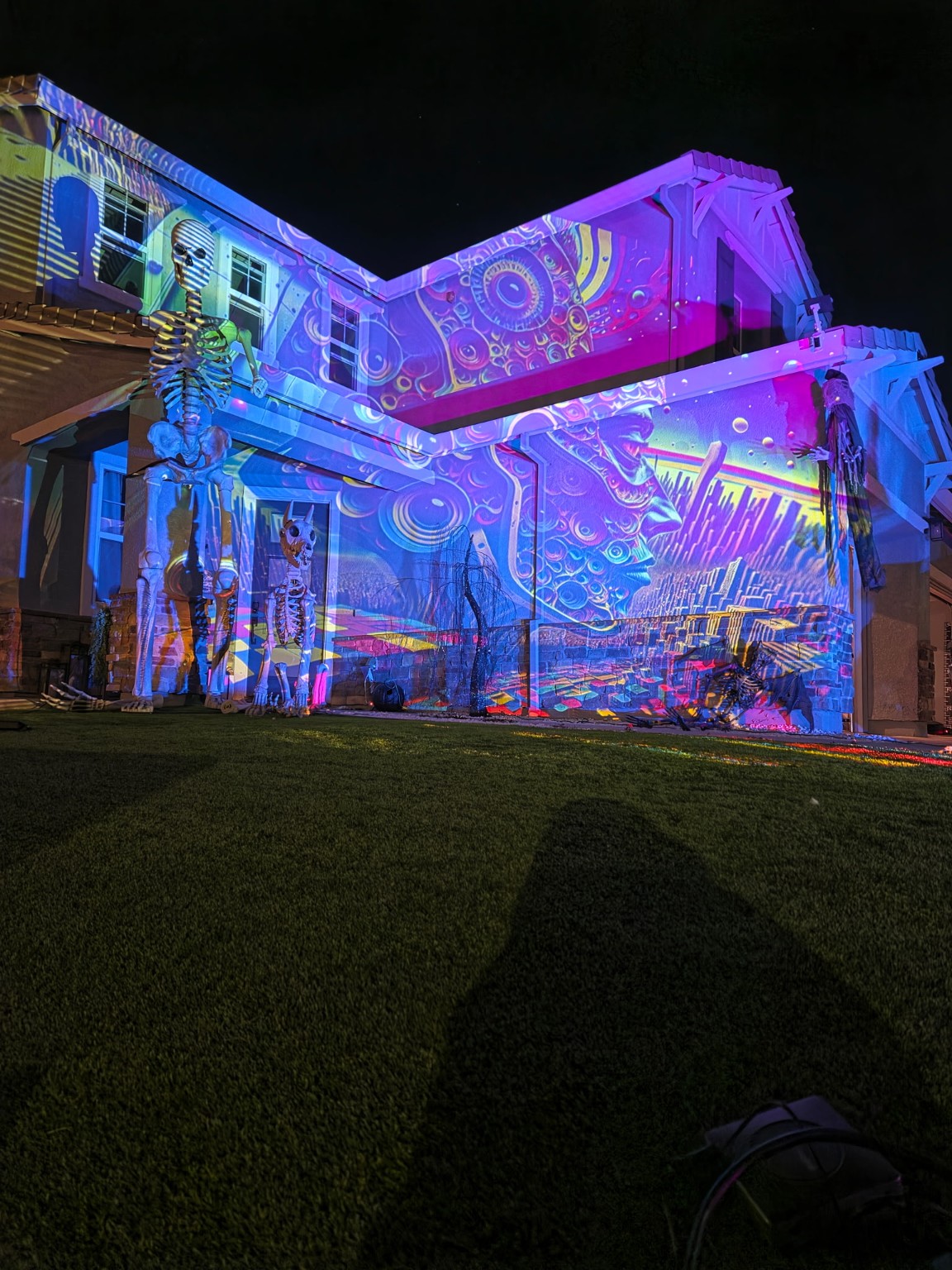
Software and Mapping Calibration: Getting a Perfect Fit
Mapping software links your projector’s output to your home’s architectural features for precise alignment. Here’s how:
- Use mapping tools such as MadMapper or Resolume Arena for flexible media placement and warping.
- Load a basic grid or guide image to manually adjust corners and edges.
- Mark features such as window frames, doors, and columns directly in the software UI.
- Fine-tune image geometry with real-time test projections as dusk falls.
- Save multiple “scenes” to easily switch visual themes or add new Halloween effects throughout the season.
Electrical Safety and Weather Precautions for Outdoor Projection
Outdoor displays must prioritize safety for you, your family, and visitors:
- Only use outdoor-rated extension cords and GFCI-protected outlets
- Keep all electrical connections off the ground on bricks or stands
- Secure cables to avoid tripping hazards
- Check the forecast and power down in heavy rain unless your setup is designed for wet conditions
- Regularly inspect your setup for moisture or debris — especially after severe weather
Window Projection Mapping: Film Options and Practical Tips
Many homeowners want their window panes to light up with spooky figures or eerie silhouettes. Consider these options:
- Window Mapping Film: goes on the outside of suitable windows and gives projected light a surface to catch, so the show carries across the glass instead of passing through. It stays largely see-through when the projector is off.
- Rear Projection Film: For windows or acrylic surfaces, rear projection film allows you to project from inside the house, illuminating content toward onlookers without exterior hardware exposure. This works especially well with garage or porch windows.
- Be mindful of projector placement — rear setups require space behind glass and uncluttered interiors.
Residential Enclosure Choices: Conceptual Benefits
Homeline
- Designed for easy use at home
- Fan-cooled for mild climates
- Blends with landscaping for minimal visual impact
Small Integrator
- Professional-grade for advanced setups
- Flexible compatibility with AV gear
- Higher build quality for dedicated users
Small Defender
- Climate-controlled for harsh/coastal areas
- Climate control for humid and coastal sites
- Specialized for salt-air environments
Specialty/Commercial Options
For unusually large home projections or commercial settings, Medium, Large, Large Plus and Extra Large Defender models exist, offering support for higher-wattage or multi-projector installations. These are rarely needed for standard residential Halloween projects and should only be considered if your equipment size and weather risks demand it; contact our team for expert guidance on specialty needs.
Frequently Asked Questions
Do I need a special projector for Halloween mapping?
Many consumer projectors work well for residential displays, especially with a suitable enclosure for weather protection. Brighter projectors are preferred for large facades or areas with ambient street lighting.
How do I keep my projector safe outside?
Use a purpose-built outdoor enclosure like the Homeline (for most mild-climate home users), which shields against rain, dust, and accidental contact. Always triple-check airflow around vents and follow grounding safety best practices.
Can I map just my garage door or windows?
Absolutely. Many Halloween projections focus on the garage, entry, or prominent windows. Adjust your content size in mapping software to match these areas exactly.
Is window projection film removable?
Ask us before you order. Removal depends on the film, the glass and how long it has been up, so confirm it with our team for your windows.
How do I power the projector outside safely?
Run cords from a GFCI-protected outlet, keep all electrical connections off the ground, and use only outdoor-rated components. Hide or tape down wiring, especially on walkways.
Can I get guidance on fitting my projector to an enclosure?
Yes. ProjectionMappingSupply.com offers personalized guidance—just ask for a fit consultation before ordering, sharing your projector model and installation plans.
Ready to Map Your Home? Start with Homeline.
Bring your Halloween vision to life this season. The Homeline enclosure is our starting point for homeowners: practical, protective and easy to use. For alternative needs, Small Integrator and Small Defender options exist for specialized cases. Reach out with your projector’s make and model for fit confirmation before ordering.